Thread Generator
What it is
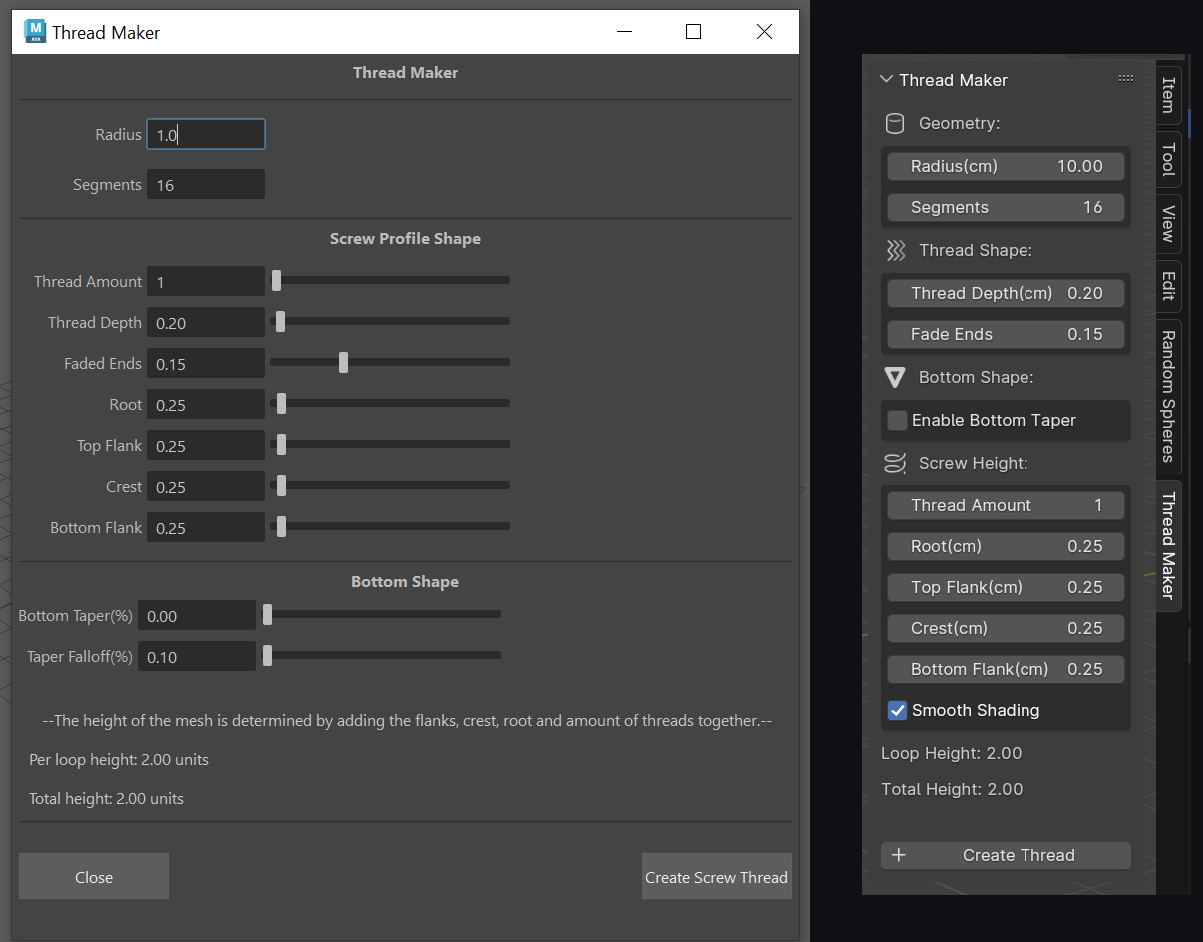
A 3D modeling tool that generates realistic screw threads in Maya and Blender. Instead of spending minutes modeling threads by hand, artists can now create them in seconds with full control over the shape and size.
What It Does
Basic Controls:
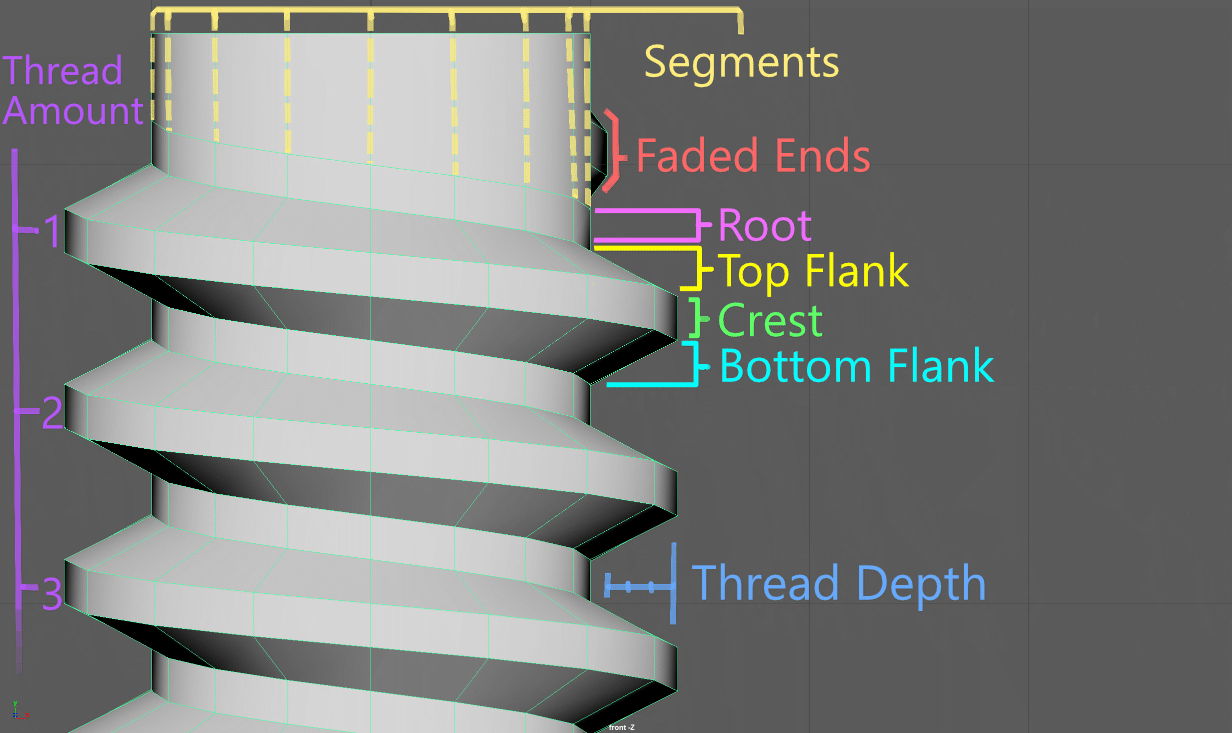
♦ Adjust thread size (radius, depth, number of loops)
♦ Control thread shape (flank angles, crest, root)
♦ Set how many segments (detail level)
Cool Features:
♦ Fade: Makes threads gradually appear at the start/end, like real manufactured screws
♦ Bottom Taper: Creates pointed or tapered ends for self-tapping screws
♦ Taper Falloff: Controls how gradually the taper happens
♦ Smooth Shading: Automatic smooth normals for clean renders
How It Works
The tool uses math to calculate the exact positions of vertices in a spiral pattern, then builds the 3D mesh. It creates the thread body, top cap, and bottom cap all as one clean mesh.
Why It's Useful
♦ Saves Time.
♦ Easy to Adjust: Need a bigger thread? Just change the numbers and regenerate
♦ Works in both Maya and Blender
Technical Stuff
♦ Built with Python
♦ Uses Maya's OpenMaya API for fast mesh creation
♦ Uses Blender's BMesh for mesh building
♦ Split into a core file (does the math) and adapter files (handles Maya/Blender specific stuff)
This modular setup means the same core code works in both programs - I just needed to write different adapters for each software's UI and mesh creation.
What I Learned
♦ How to work with 3D APIs (OpenMaya and BMesh)
♦ Vector math for 3D coordinates
♦ Making tools that work across different software
♦ UI design
Future Ideas
♦ Add presets for standard thread types (M6, M8, etc.)
♦ Generate internal (female) threads
♦ Add wear and damage effects
♦ Support for custom thread profiles